GTA 6 Enterable Buildings: Map Colors, the White Line and Focus Mode Doors
Last verified By the Grand Leonida Editorial Team
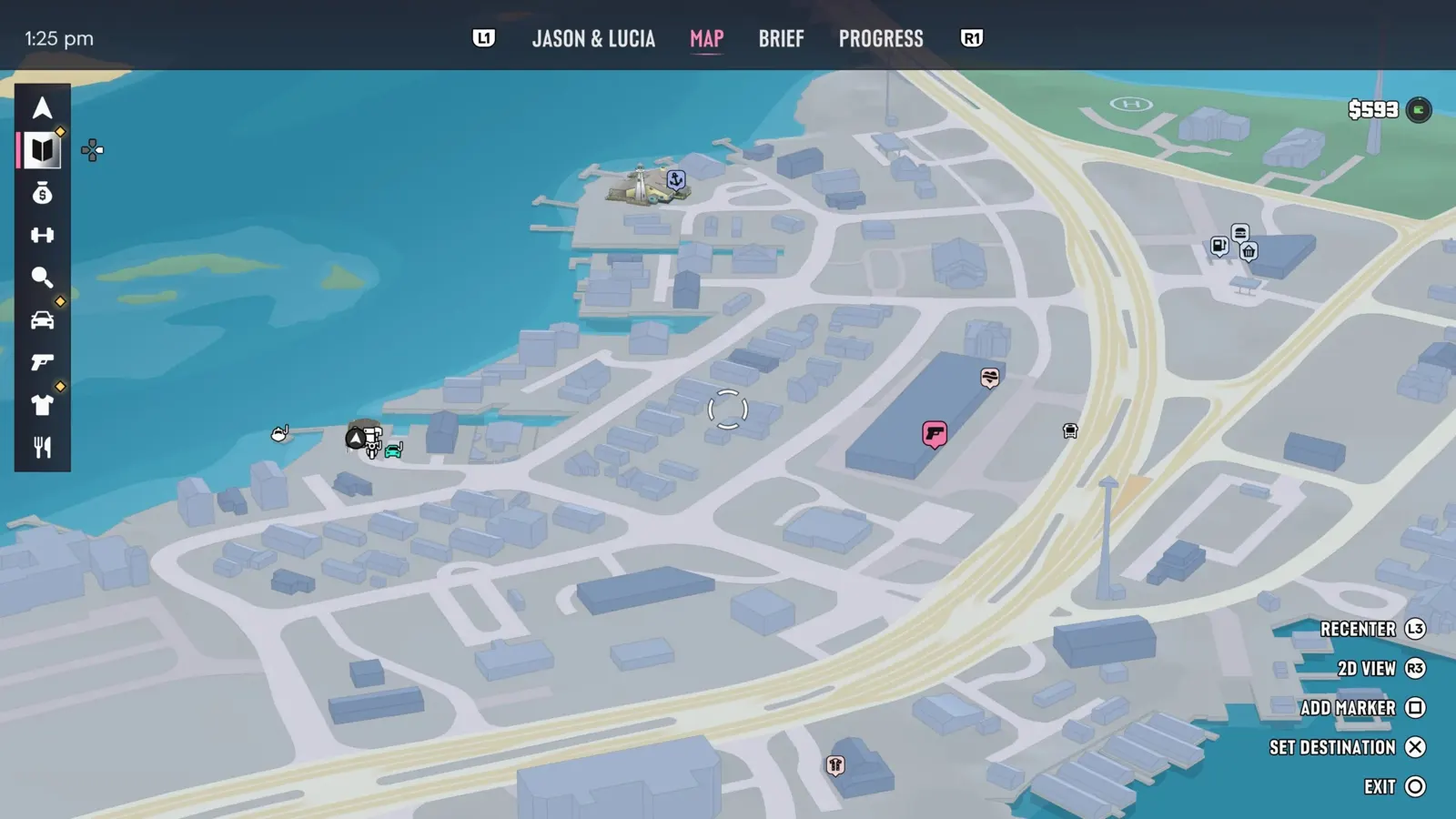
Quick answer
On the GTA 6 map, dark blue buildings usually have an interior you can enter and light blue ones don't. A white line on the minimap marks a usable entrance. In Focus Mode (L3 and R3), a white door can be entered and a red door is linked to an alarm. Some buildings only unlock with the story. Reported by one guide.
| Dark blue buildings | Usually enterable |
|---|---|
| Light blue buildings | Usually not enterable |
| White minimap line | Marks a usable entrance |
| Focus Mode doors | White = enterable, red = alarm |
Reading the map
- Dark blue buildings on the map have an entrance and an interior. Light blue ones are usually not enterable.
- Dark blue can still mean only a small part, such as a small shop, a garage or a corridor.
Finding the entrance
- Follow the white line on the minimap to the usable entrance.
- Check the doors at the end of a corridor or behind a shop for extra rooms and stairs.
Using Focus Mode
- Press L3 and R3 (both sticks) to turn on Focus Mode.
- A white door can be entered and a red door is linked to an alarm, which helps when you plan a robbery.
- Not every building opens: some are tied to the story. Reported by one guide.
Our screenshots
Frequently asked questions
How do I know if a building is enterable in GTA 6?
Dark blue on the map, a white line on the minimap, or a white door in Focus Mode.
What does a red door mean?
It's linked to an alarm.